 SNB DEV
You can make a Sinhala YouTube video with AI in five steps: write a script in spoken Sinhala, generate the narration with an AI voice, choose footage for each line, add word-by-word captions, then make a thumbnail. The steps are the same as in English, but the details change at almost every one. Most tools treat those details as an afterthought, so this is where Sinhala videos usually fall apart.
We make Sinhala videos ourselves and we sell Vidlyn, an app built around this process. You will find the same rules useful whichever tool you choose. There is also a Sinhala version of this article.
Write the way people speak
A Sinhala script written like a newspaper article sounds wrong as soon as a voice reads it. Written and spoken Sinhala are far apart, and viewers on a phone want the voice of someone talking to them. Ask for everyday spoken language, then read the result aloud and change any sentence you would never say to a friend. AI writers drift back towards formal language, so you will probably have to do this more than once.
Use fewer words than you expect
This is the mistake that surprised us most. In our measurements, Sinhala narration ran at about 1.75 words per second, compared with 2.4 or more for our English Shorts. A script that fills 60 seconds in English will run far over in Sinhala.
- A Short under 60 seconds: 80 to 100 spoken words. An 87-word script came out at about 49 seconds for us.
- A structure that fits: a hook of nine words or fewer, five numbered facts of 10 to 18 words each, and a one-sentence outro.
- A long video: plan by paragraphs and leave the length to the story. Our deep-dive format runs for eight minutes or more.
Small wording choices affect the voice
A few details made a noticeable difference to how our narration sounded:
- Number words. Start facts with the plain form, එක. දෙක. තුන., not the emphatic එකයි, දෙකයි. The plain form sounds like someone counting through a list.
- English names. Common names such as Lucky Bamboo can stay in English script. Forcing them into Sinhala letters often makes pronunciation worse.
- Greetings. A greeting such as ආයුබෝවන් suits a long video. A Short has no time for it, so go straight to the question.
Be honest about beliefs
Vastu, traditional remedies and household beliefs are popular Sinhala subjects. Say what they are, with wording such as වාස්තුවේ කියනවා or විශ්වාසයක් තියෙනවා, instead of stating them as fact. Do not promise medical results or guaranteed outcomes. It is the honest approach, and health misinformation can cause trouble with YouTube as well as real harm to viewers.
Choose a voice, and listen to the whole take
We narrate Sinhala with Gemini's text-to-speech voices. Other tools offer Sinhala too: Fliki lists three Sinhala voices, for example. Test any voice on a script with numbers, names and long words before settling on it.
For long narration, generate one paragraph at a time and join the results. When we combined several paragraphs in one request, some sections came out far too short, others too long, and the audio no longer followed the script. Keeping to one paragraph per request removed that problem.
Search for footage in English
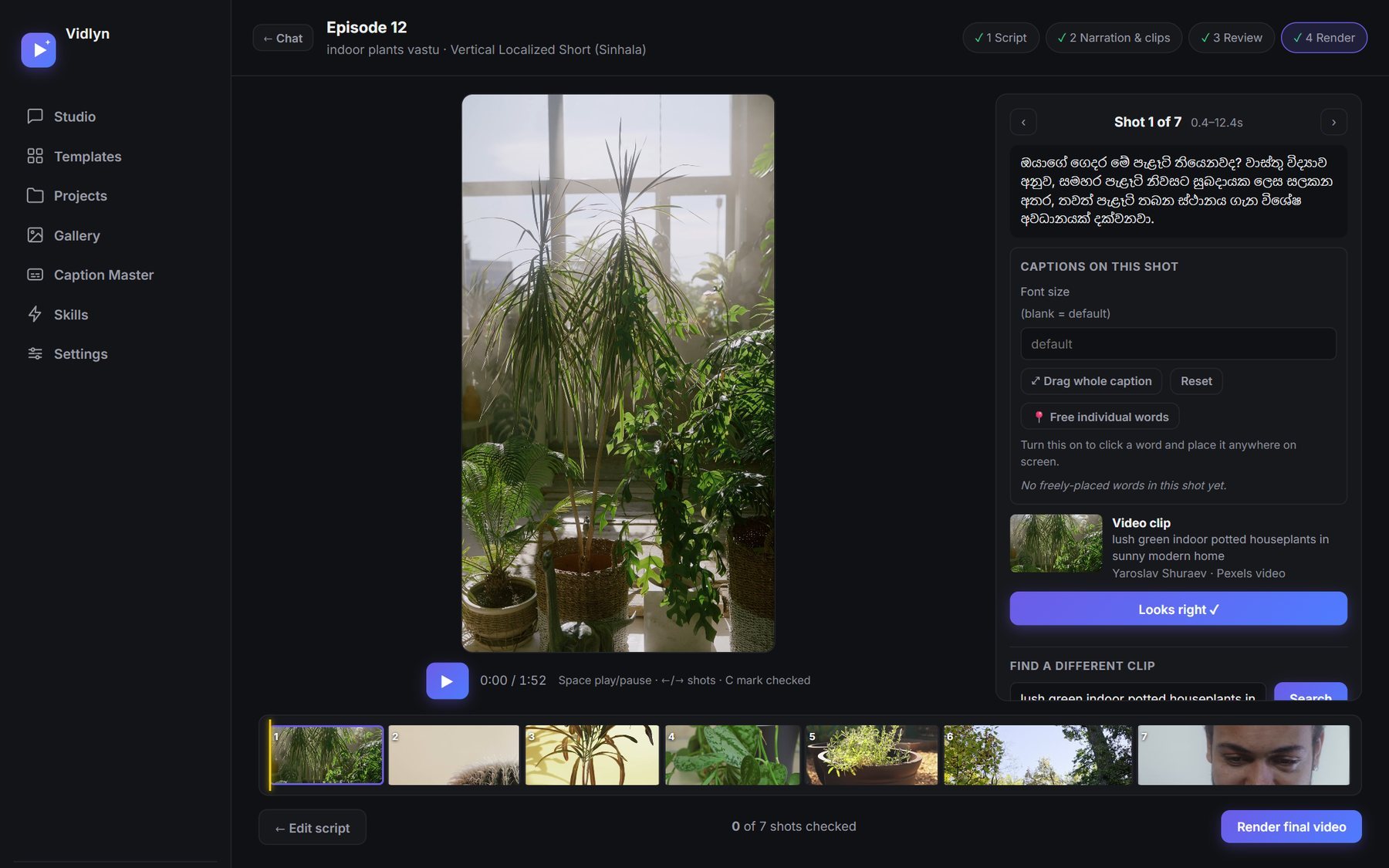
The big stock libraries are searched mostly in English, so keep your script in Sinhala and write footage searches as literal English phrases, such as "woman watering a plant". Ask for something a camera could actually film. Search terms like "positive energy" return nothing useful.
When you check the clips, read each one against its Sinhala line. It is easy to let a clip pass on looks alone when it does not really match what is being said.
Get the captions right
This is where Sinhala is hardest. Common speech models hear Sinhala poorly and many video tools draw its letters incorrectly. Because AI narration comes from a script you already have, you can skip recognition altogether and align the known text to the audio. Then render it with proper text shaping, so that the letters look like Sinhala. We explain all of this in how to add Sinhala captions without broken letters.
For Shorts, three words a line lifted above the on-screen buttons has worked well for us, and the same file can be used for a YouTube Short and a Facebook Reel.
Make the thumbnail last
A Sinhala headline of three to seven punchy words is enough. Thumbnails have the same letter problem as captions: many design tools break Sinhala too. If yours does, check it at full size, or use a tool that shapes the text. Vidlyn makes a thumbnail with every video and has a Thumbnail Maker for building one by hand.
Reach a second audience with a bilingual version
Vidlyn's Vertical Bilingual Short makes the same video in Sinhala and English with the same voice, in one workflow. You can write both scripts yourself, and it narrates your words exactly as written. The result is two separate videos, so you can publish each on the channel where its language belongs.
Common questions
What do I need to run Vidlyn for Sinhala?
A 64-bit Windows 10 or 11 PC, your own AI account (Claude, ChatGPT or a free Gemini key), a free Gemini key for the voices, and a free Pexels key for footage. The speech and Sinhala models take about 4 GB in total, so download them over a connection you are happy with. See pricing and the free trial.
Can I use my own Sinhala script?
Yes. Paste it in and it is narrated as you wrote it. You can have the script written for you as well, and edit it before any narration is made.
Can Sinhala videos be monetized?
Language is not the issue. The same original-content rules apply as for any channel, so read what YouTube says about AI videos before you plan one.