 SNB DEV
A faceless video channel looks simple from the outside: a voice, some footage, captions. Behind every shot there is a chain of chores. Write the script, record the narration, find a clip for each line, time the captions, make a thumbnail, write the title and description, upload at the right hour. Do that for one channel and it is a hobby. Do it for several and it becomes a job.
Vidlyn is the app we built to take that chain off our own plate, and it is now the thing we sell. This is how it works and why it works that way.
One topic in, one video out
You choose a template, give it a topic, and Vidlyn produces the whole package: the script, the narration, matched footage, word-by-word captions, a thumbnail, and the title, description and tags to post with it.
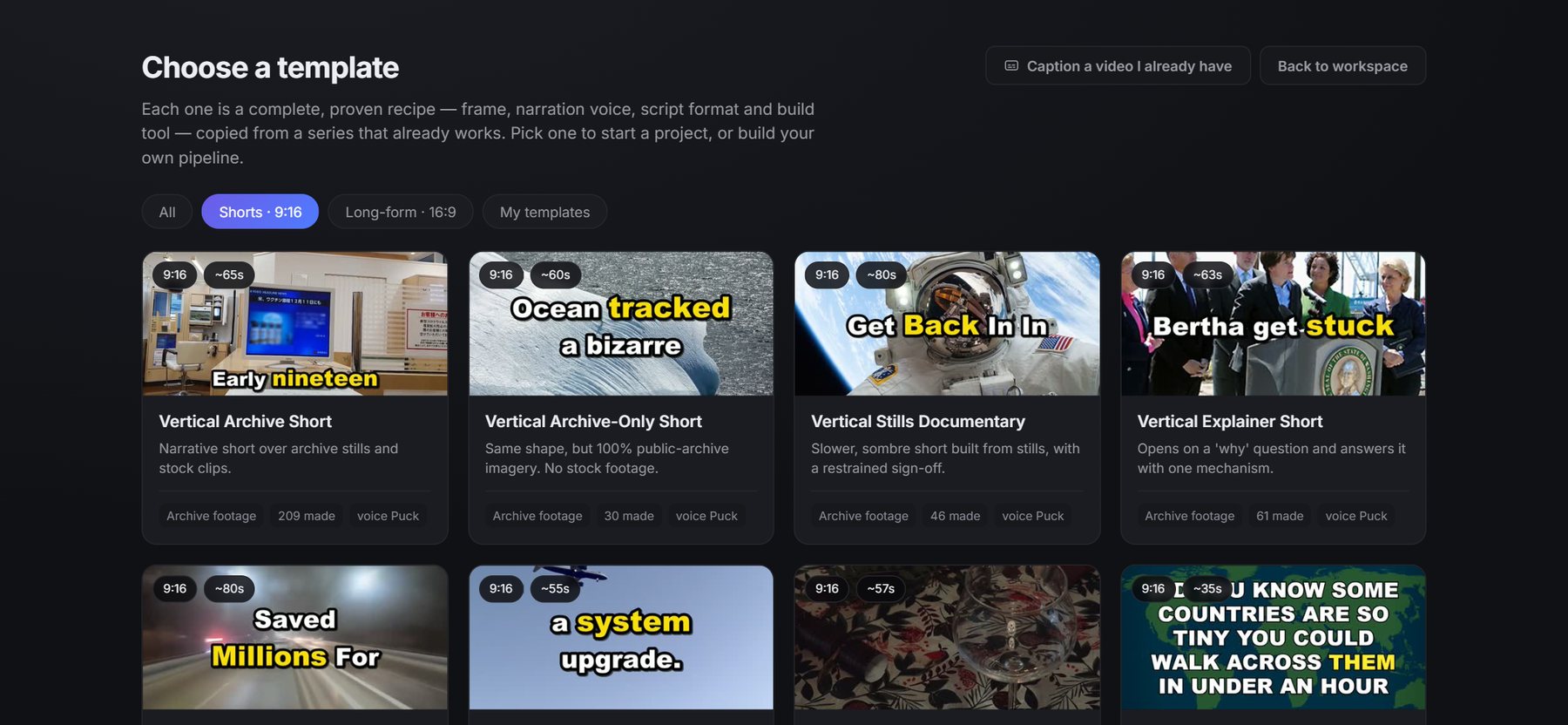
Templates are the part we care about most. A template is not a theme. It is a recipe copied from a channel format that already worked: the frame size, the narration voice and pace, the shape of the script, and the rules the writer has to follow. That is why two episodes from the same template feel like the same channel. If you need a starting point, we describe 16 of these formats.
Nothing renders until you have looked
The most important design decision is also the least glamorous. Vidlyn never renders a video straight from a prompt. It stops after the script, and again after it has picked the clips, and asks you to check. Narration costs quota or money, and a wrong clip is far cheaper to fix on a screen than inside a finished render.
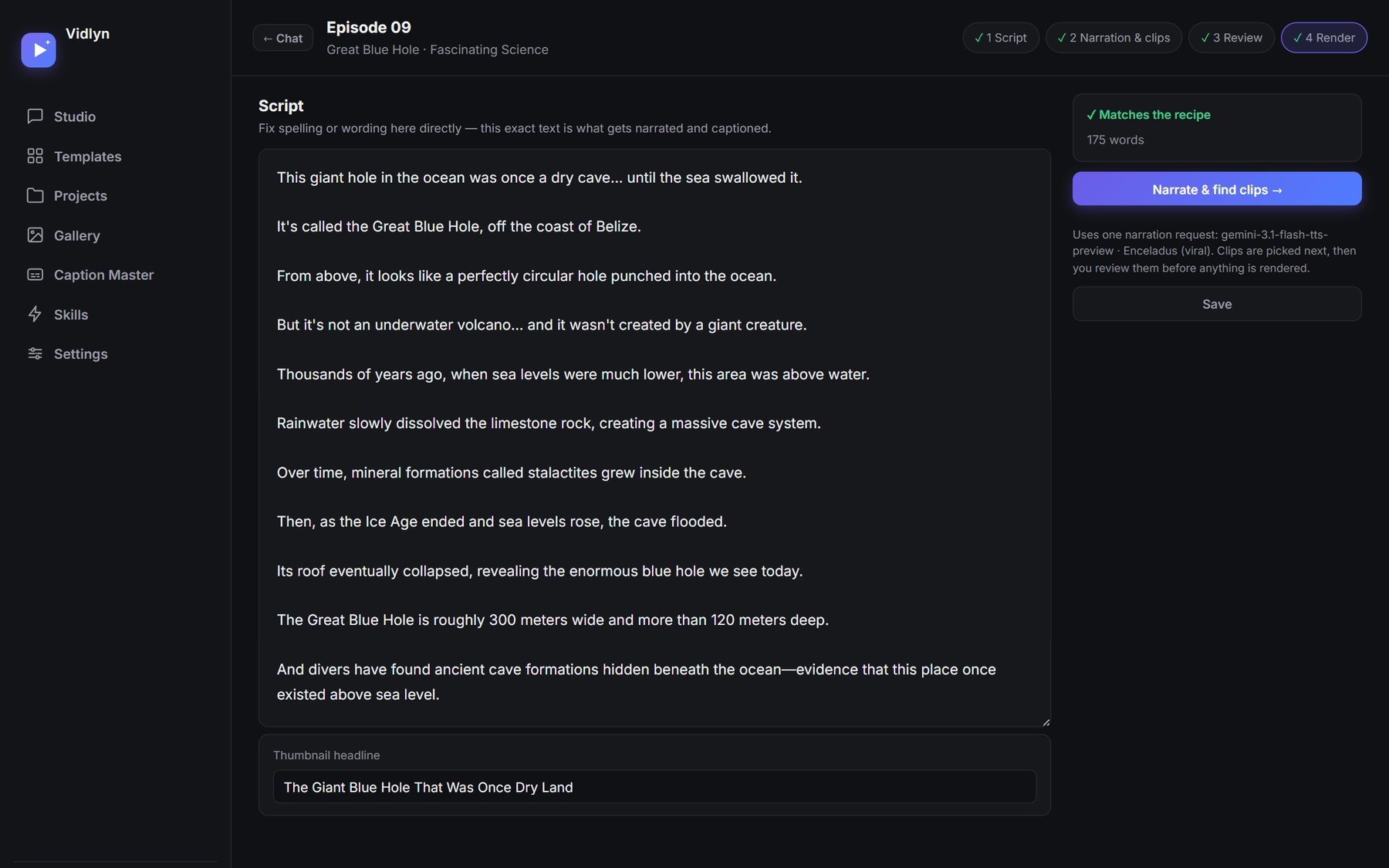
In the review step you play the video shot by shot, see which clip belongs to which line, search for a different one, and drag the captions where you want them. Only when the shots look right do you render the final video.
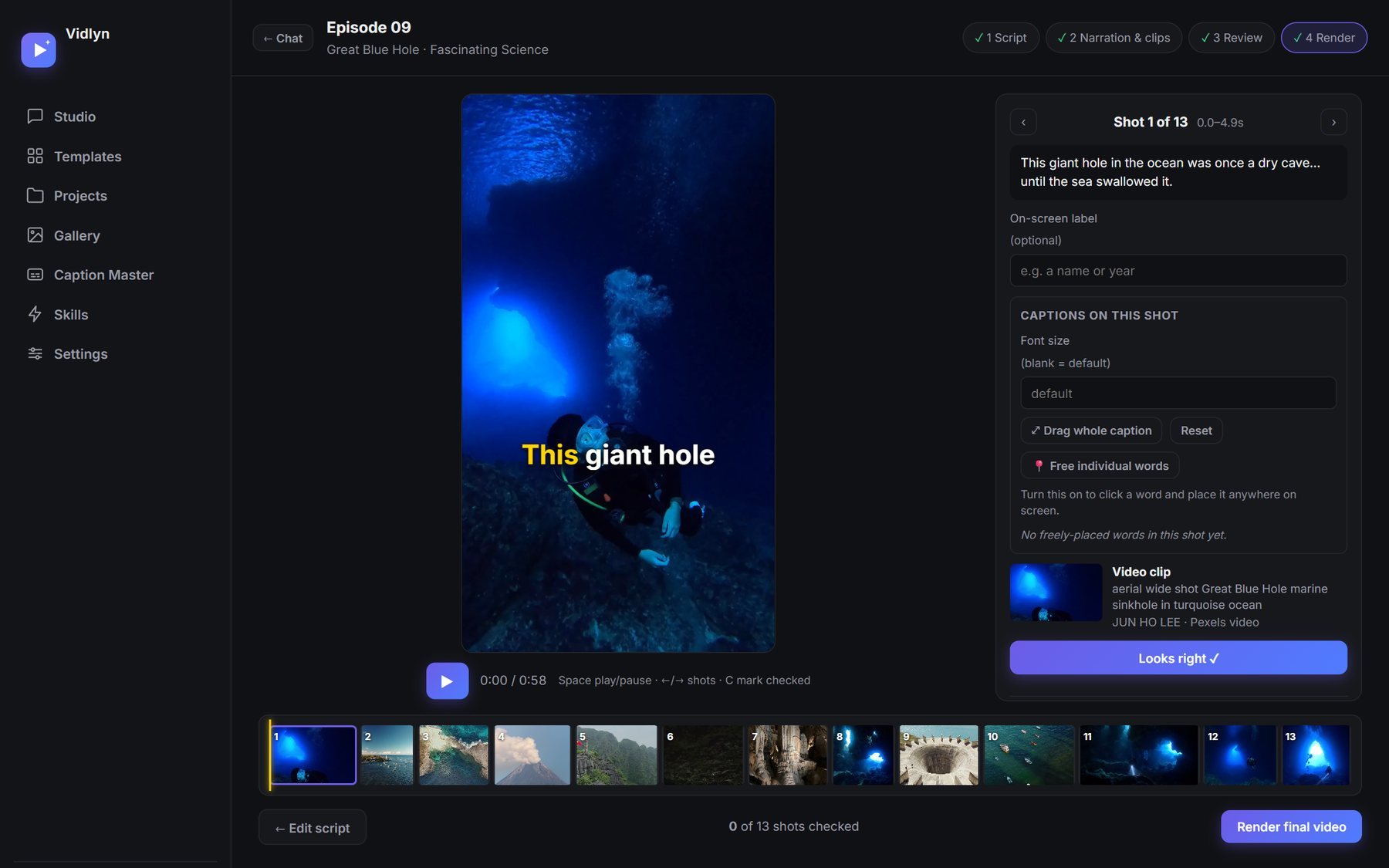
Sinhala, done properly
Many tools treat Sinhala as an afterthought. Three things had to be solved before it worked for us.
- Listening. In our testing, the general-purpose English-first speech model heard about 72 words of a two-minute Sinhala episode. So Vidlyn uses Gemini to listen to Sinhala audio instead.
- Timing. Rather than trust the recogniser's rough timestamps, it aligns the corrected text to the audio, so each caption lands on the word being spoken.
- Drawing. Sinhala letters combine and reorder. Captions and thumbnails are shaped with HarfBuzz instead of being painted letter by letter, which is why the text looks like Sinhala and not a broken imitation.
We wrote up the details in how to make Sinhala YouTube videos with AI and how to add Sinhala captions without broken letters.
Captions for videos you already have
Caption Master is the same machinery pointed at your own footage. Give it a video, check the words it heard before anything is timed, then burn the captions in. It works in English or Sinhala, and can translate Sinhala captions to English while keeping their timing.
A thumbnail with every video
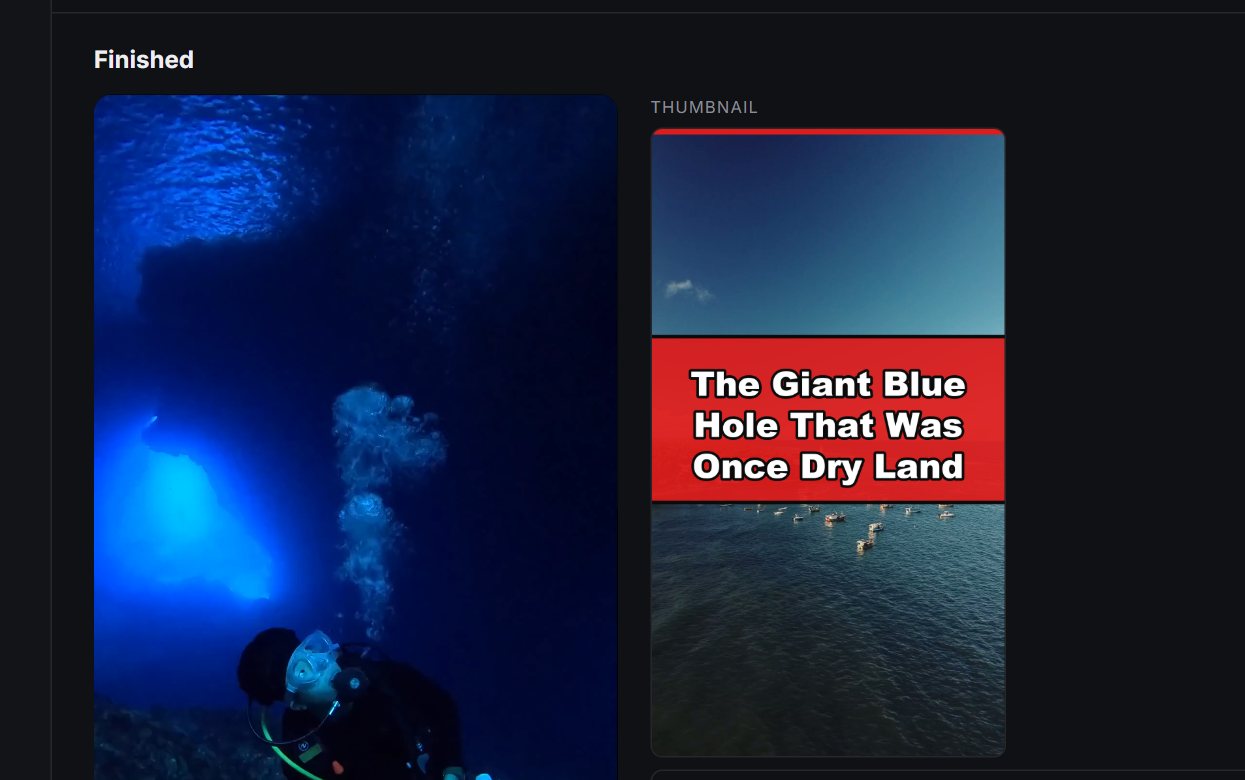
Every video comes with a thumbnail made from a frame of the video itself. If you want a different headline or a different shot, you describe the change in plain words and it redraws.
Then Auto Publisher posts it
Auto Publisher comes free with a Vidlyn key. It picks up your projects and schedules them to YouTube, Facebook and TikTok, with a dry run so you can see what would go out before it does. For Instagram, the video is ready in the right format and you post it by hand for now. Here is how bulk scheduling works, and what each platform allows.
What it does not do
- It needs your own AI account: Claude, ChatGPT, or a free Gemini key. We do not resell AI usage, so there is no usage bill from us.
- It runs on Windows for now.
- Stock footage and pictures come with their own licences. Vidlyn shows the credits it has, but you are responsible for checking your use.
- AI-written scripts can be wrong. That is exactly why the review step exists.
- It is not a button that makes a channel succeed. Ideas and taste still decide that, and YouTube's rules on mass-produced AI videos apply to everything you post.
Try it
There is a free 7-day trial with every feature and no card. If you buy a key, the first 1,000 customers pay half price, LKR 1,500 a month or LKR 15,000 a year, and keep that price on renewals. Details and the live count of places left are on the Vidlyn page.